Picking mutual funds is a
-
A
watchful investor may prefer a slightly lower-return fund that offers better downside protection and lower volatility. -
A
more aggressive investor may prioritise stronger consistency and recent performance, even if volatility is a bit higher.
That’s exactly why we launched
Power Select is a powerful comparison tool that lets you
And ever since launch, the response has been very exciting. We’ve also received thoughtful feedback from our users, and those improvements are now live.
This guide walks you through everything that is new and shows you how to effectively use Select.
1️⃣ Compare funds side-by-side
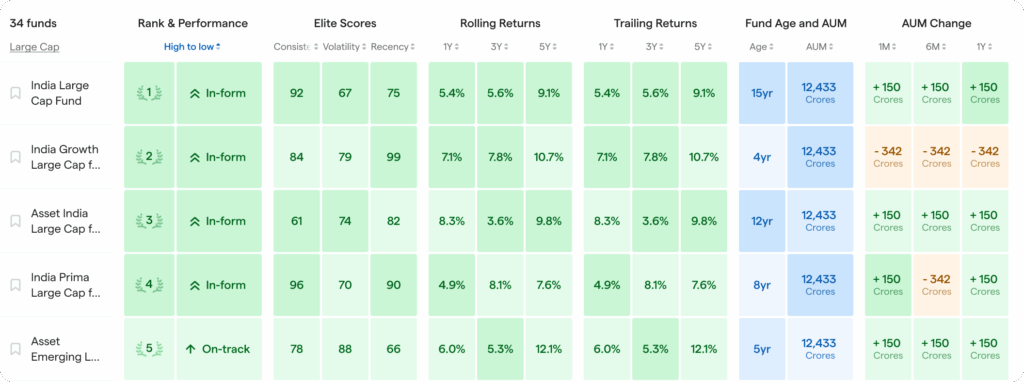
Inside any category you choose – be it Large Cap, Mid Cap, Small Cap, Flexi Cap, etc. – you will see all funds in a tabular format, for easy comparison.
For each fund, you can see:
Power Rank – how the fund ranks against peers (Elite only feature)Fund Performance Rating – whether the fund is in-form or out-of-formElite Scores (Elite only feature)Consistency (long-term reliability)Volatility (risk & downside behaviour)Recency (recent momentum)
Rolling Returns – performance across different periods of timeTrailing Returns – point-to-point returnsAUM Change (NEW) – See how much the fund’s AUM has changed over 1M, 6M, 1YFund Age and AUM (NEW) – How old the fund is and its current total AUM
2️⃣ Customise what metrics you want to see (NEW)
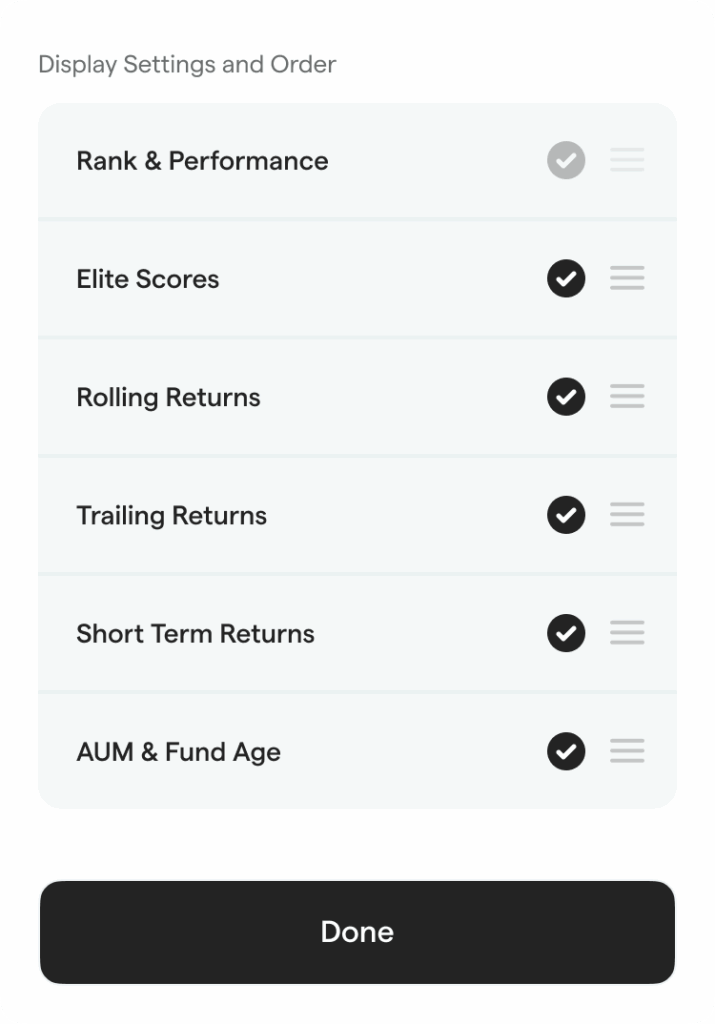
You now have
- Prefer rolling returns over trailing returns?
Remove the trailing returns column - Want Elite Scores at the top instead of later?
Reorder columns
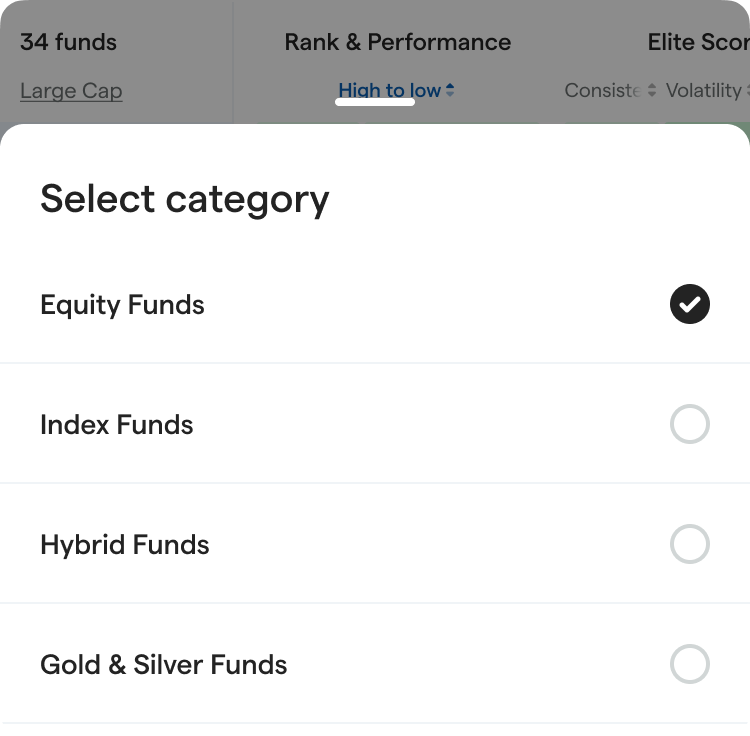
If you wish to compare funds in a different broad category like Index funds or Gold & Silver funds, you can easily switch to those by selecting the toggle above.
Power Select adapts to how you think about investing – in the way you like to do it.
3️⃣ Sort, rank, and shortlist instantly
Once your metrics are set, Power Select helps you spot patterns fast:
-
Sort any column (ascending or descending) -
Use
colour-coded quartiles to quickly identify:- Top performers
- Average funds
- Lagging funds
If you want to focus only on the top-performing funds, you can also filter and compare only the in-form funds.
4️⃣ Pin funds for easy comparison
If you want to track and compare specific funds, you can easily:
-
Pin that fund to the top - Compare it instantly against category leaders
- See clearly whether it’s keeping up – or falling behind
Your existing funds are also automatically highlighted with a
➡️ 7-day free trial for non-Elite users
Even if you’re not an Elite member, you still get a powerful comparison experience.
- Non-Elite users can see
all funds side-by-side and compare them using Ratings and Rolling and Trailing returns - Power Rank, Elite Scores and colored quartiles view is locked by default
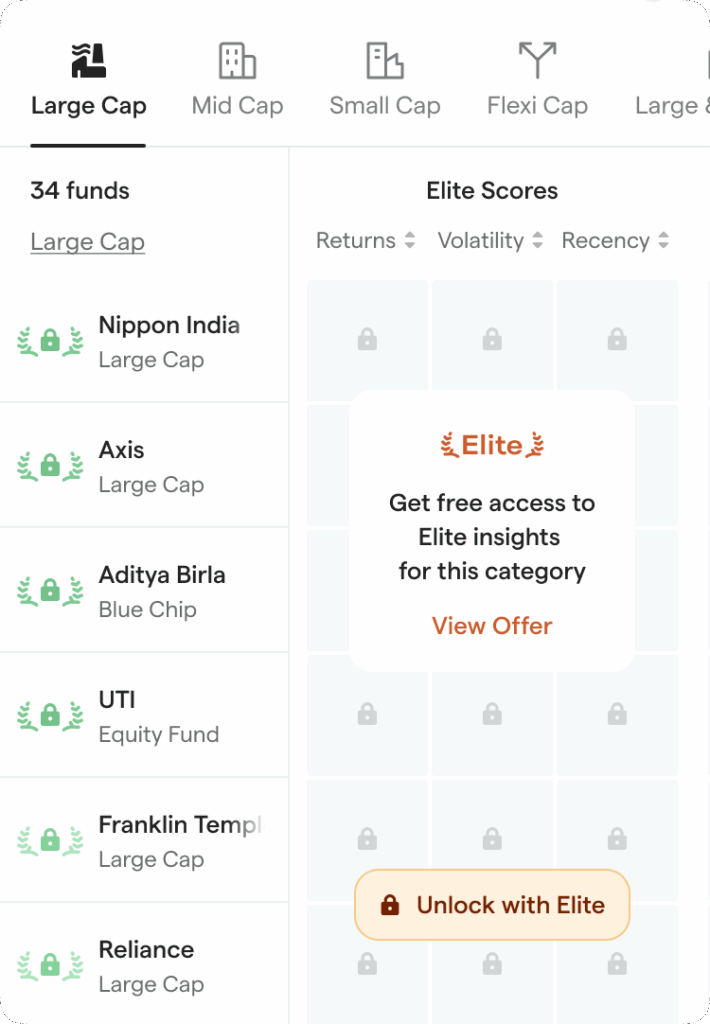
🔶 You can unlock the full
Pick any one category of your choice and instantly
After the trial, Power Rank and Elite Scores lock again, but you can continue using Power Select to compare funds side-by-side with all standard metrics.
💙 Building for you, and with you
We actively listen to your feedback and continuously refine the PowerUp experience for you. Our inbox is always open – if you have feedback or suggestions on improving the
Leave a Reply